Pages, as they print
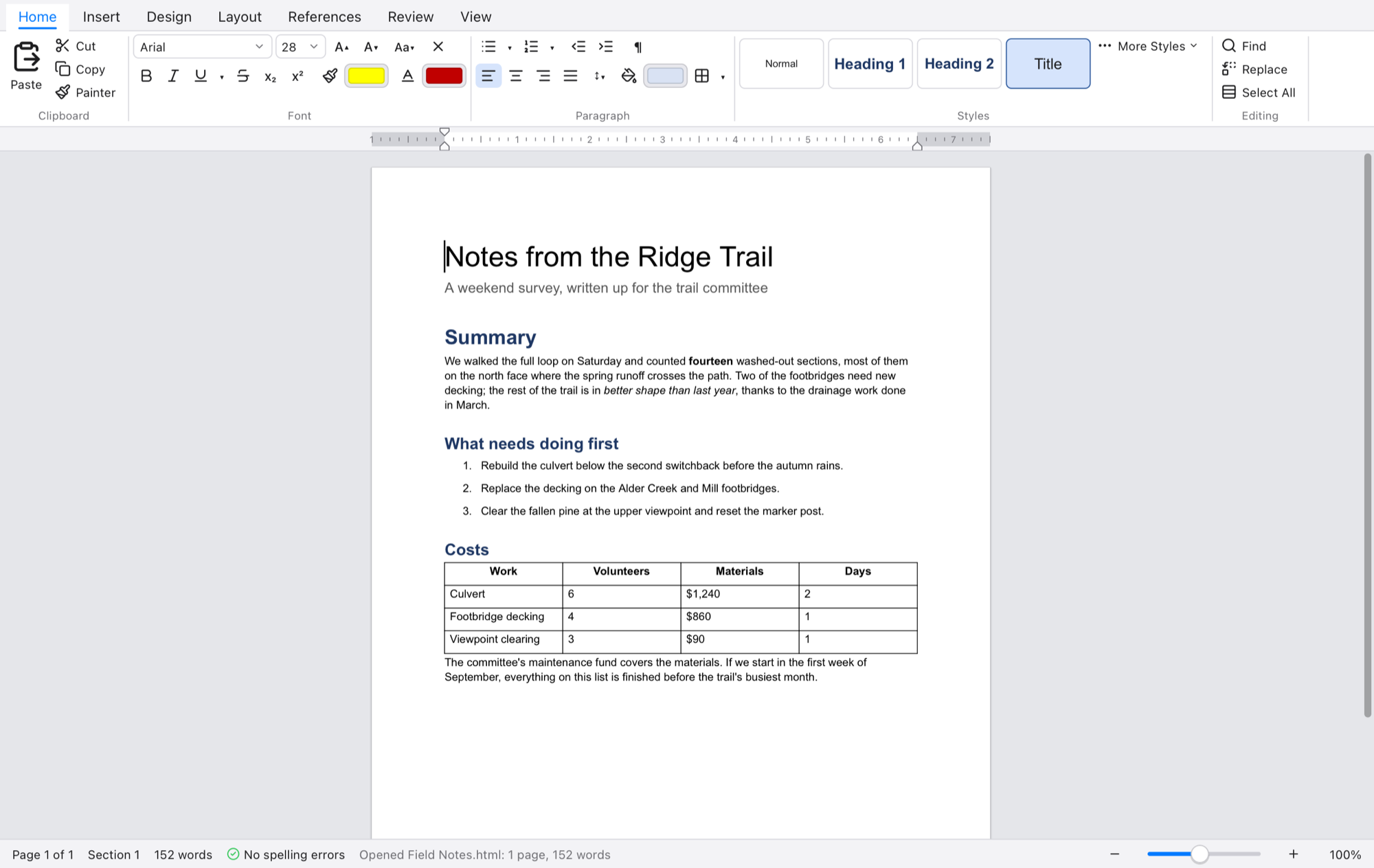
Paper sizes, margins and orientation, columns, sections with their own setup, headers and footers for first, odd and even pages, and page numbers.
 Quill
Quill
A word processor for the Mac
Quill shows your document as pages, with the margins, headers and footnotes where they'll be on paper. It opens the Word files people send you and saves them back.
Free. macOS 11 or later on Apple silicon. Quill keeps itself up to date.
Paper sizes, margins and orientation, columns, sections with their own setup, headers and footers for first, odd and even pages, and page numbers.
Normal, Title, Heading 1 to 6, Quote and the rest, under the names Word uses. Change a style and every paragraph in it follows; a theme restyles the lot.
Merged cells, tables inside tables, borders and shading, header rows that repeat on every page, sorting, and formulas such as =SUM(ABOVE).
Footnotes and endnotes that number themselves, a table of contents made from your headings, bookmarks, cross-references, captions and links.
Bulleted, numbered and multilevel lists. PNG and JPEG pictures you can drop in, resize and caption, with a list of figures.
Spelling as you type, smart quotes and dashes, autocorrect, a format painter, a ruler, find and replace with wildcards, and three hundred steps of undo.
Quill opens and saves Word (.docx), OpenDocument (.odt) and Rich Text (.rtf), keeping sections, styles, tables, notes, comments and tracked changes. It also reads and writes Markdown, HTML and plain text.
Print preview shows what goes to the printer, and Export as PDF keeps it, each page at its own size.
Track Changes underlines what's added and strikes through what's deleted, each author in a color; accept or reject them one at a time or all at once, and see the page with all markup, simple markup or as the original.
Comments sit in balloons beside the page, with replies and resolving. Both travel with the document into Word and back.
Unsaved changes are set aside every half minute and offered back if Quill didn't close properly.
Each open document has a tab, and recent files are a click away.
A newer Quill is downloaded in the background, checked, and there the next time you open it.